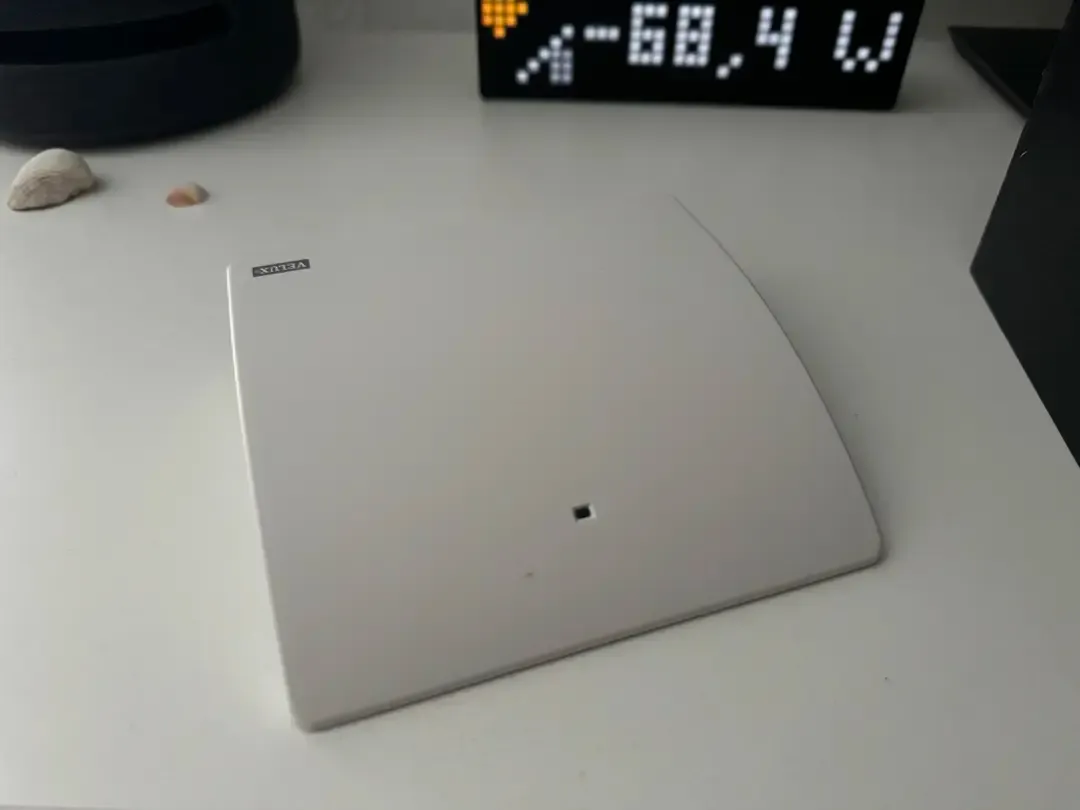
When my VELUX KLF-200 connection dropped, the shutters became unavailable in Home Assistant. That was not dramatic enough to stop everything immediately, but it meant I could no longer rely on the next automatic shutter movement.
I already knew the repair routine: check whether the controller was reachable, briefly remove power, wait, reload the VELUX integration, then see whether the connection had really returned. Repeating that late at night was tedious; doing it while away was impossible. So I turned the routine into a bounded recovery automation.
It waits until the connection has been offline for two minutes, power-cycles the KLF-200 through a Matter-controlled plug, reloads the integration, and verifies the state. It stops after three attempts rather than looping forever.
What I actually observed
I implemented it on 5 September 2026. It triggered that same day and recovered the connection on its first attempt. Two more outages followed, on 15 and 18 September. Both were recovered on the second attempt.
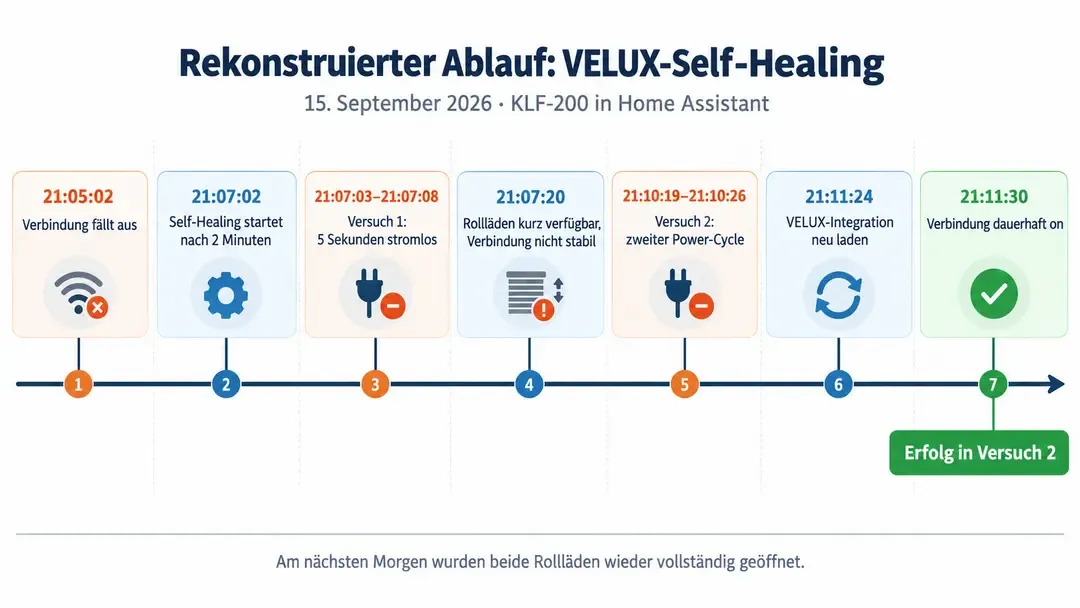
The 15 September case made the limits useful rather than theoretical. The connection was down around 21:05. After the two-minute delay, the automation checked the plug, removed power for five seconds, allowed the controller about a minute to start, and reloaded the integration. The state briefly appeared connected, then dropped again during the reload. A second attempt began at 21:10; by 21:11 the connection was back to on, with no manual intervention.
After that recovery, the bedroom and bathroom shutters opened at 05:50 and the recorded state showed them open roughly 40 seconds later. That is not a performance benchmark. It was simply the practical confirmation I needed that the previous outage had not left the shutter automation unusable.
What the three incidents showed me
The first outage after I put the automation in place was on 5 September. The first recovery pass brought the connection back. That was useful confirmation that the routine could execute without me, but it did not tell me whether one restart would always be enough.
The outage on 15 September was the more instructive case. The connection went down at about 21:05. After the two-minute debounce, the automation checked the plug, removed power for five seconds, allowed the controller to boot, and reloaded the integration. The state briefly appeared connected before disappearing again during the reload. The second pass started at 21:10 and the connection was back at 21:11. That sequence is why I kept both the verification steps and the retry bound: a superficially successful restart was not yet a recovered integration.
The third outage, on 18 September, also needed the second attempt. During these interruptions and reloads, the shutter entities were unavailable. After the 15 September recovery, the bedroom and bathroom shutters opened at 05:50; their recorded state showed them open roughly 40 seconds later. I do not treat that as a timing measurement. It was the practical check I needed that the outage had not left the next scheduled movement unusable.
From manual repair to a bounded recovery
The manual routine had a clear order: inspect the connection, remove power from the KLF-200, reload the integration, verify the state, and repeat the recovery only when the connection had not returned. That sequence became the automation’s safety boundary.
I deliberately wait for two uninterrupted minutes of off before starting. A short flap should not trigger a power cycle. Before it switches anything, Home Assistant checks that the dedicated Matter plug is reachable and already on. If that condition is not met, the process stops and sends me a notification: an unreliable recovery must not turn into a controller that is accidentally left without power.
A recovery attempt then cuts power for five seconds. After turning the plug back on, the automation checks its state again; if needed, it tries the switch-on step once more. Only then does it give the KLF-200 roughly 60 seconds to start and reload the VELUX integration. It checks for on immediately after the reload and then waits for up to two additional minutes. A confirmed on ends the process. Otherwise, it begins the next attempt, up to a maximum of three.
The complete configuration below is the formatted source YAML provided from my original working file. The installation-specific config entry ID is redacted as YOUR_VELUX_CONFIG_ENTRY_ID.
alias: Monitor VELUX connection
description: >-
  Monitors the connection to the VELUX KLF 200. After two minutes
  of connection loss, up to three self-healing attempts are performed:
  briefly cut power to the controller, allow it to start, reload the VELUX
  integration, and verify recovery. Notifies at the start and on success or
  final failure.
triggers:
  - trigger: state
    entity_id: sensor.connection_state
    from: 'on'
    to: 'off'
    for:
      minutes: 2
    id: velux_offline
    note: >-
      Short connection flaps are ignored; self-healing starts only after
      two uninterrupted minutes offline.
actions:
  - if:
      - condition: not
        conditions:
          - condition: state
            entity_id: switch.arbeitszimmer_velux_zentrale
            state: 'on'
    then:
      - action: script.benachrichtigung
        data:
          benachrichtigungstext: >-
            VELUX KLF 200 is offline, but the controller Matter plug is not on or is unreachable. Self-healing was not started.
          an_sprachassistenten_senden: false
          immer_per_pushnachricht_senden: true
          an_lametric_senden: false
          prioritaet: hoch
      - stop: 'VELUX self-healing aborted: Matter plug not ready'
        error: true
    note: >-
      Do not switch off when the dedicated Matter plug is already off or unreachable.
  - action: script.benachrichtigung
    data:
      benachrichtigungstext: >-
        VELUX KLF 200 has been offline for two minutes. Self-healing with up to three attempts is starting.
      an_sprachassistenten_senden: false
      immer_per_pushnachricht_senden: true
      an_lametric_senden: false
      prioritaet: hoch
  - repeat:
      count: 3
      sequence:
        - if:
            - condition: state
              entity_id: sensor.connection_state
              state: 'on'
          then:
            - action: script.benachrichtigung
              data:
                benachrichtigungstext: >-
                  VELUX KLF 200 connection restored before self-healing attempt {{ repeat.index }} was needed.
                an_sprachassistenten_senden: false
                immer_per_pushnachricht_senden: true
                an_lametric_senden: false
                prioritaet: hoch
            - stop: VELUX connection already restored
          note: >-
            A delayed recovery ends the loop before power is cut
            again.
        - action: switch.turn_off
          target:
            entity_id: switch.arbeitszimmer_velux_zentrale
          note: >-
            Cut power to the VELUX KLF 200 for the current self-healing
            attempt.
        - delay:
            seconds: 5
        - action: switch.turn_on
          target:
            entity_id: switch.arbeitszimmer_velux_zentrale
          continue_on_error: true
          note: >-
            The plug must be switched back on regardless of the rest
            of the flow.
        - delay:
            seconds: 10
        - if:
            - condition: not
              conditions:
                - condition: state
                  entity_id: switch.arbeitszimmer_velux_zentrale
                  state: 'on'
          then:
            - action: switch.turn_on
              target:
                entity_id: switch.arbeitszimmer_velux_zentrale
              continue_on_error: true
            - delay:
                seconds: 10
            - if:
                - condition: not
                  conditions:
                    - condition: state
                      entity_id: switch.arbeitszimmer_velux_zentrale
                      state: 'on'
              then:
                - action: script.benachrichtigung
                  data:
                    benachrichtigungstext: >-
                      VELUX self-healing was aborted: the controller Matter plug could not be reliably switched back on after being turned off. Please check it urgently.
                    an_sprachassistenten_senden: false
                    immer_per_pushnachricht_senden: true
                    an_lametric_senden: false
                    prioritaet: hoch
                - stop: >-
                    VELUX self-healing aborted: Matter plug remained off
                  error: true
          note: >-
            A second switch-on attempt prevents the controller from remaining
            off after a temporary Matter error.
        - delay:
            seconds: 50
          note: >-
            Together with the plug check, the KLF 200 receives about 60
            seconds to start.
        - action: homeassistant.reload_config_entry
          data:
            entry_id: YOUR_VELUX_CONFIG_ENTRY_ID
          continue_on_error: true
          note: Reload the VELUX integration after the hardware restart.
        - if:
            - condition: state
              entity_id: sensor.connection_state
              state: 'on'
          then:
            - action: script.benachrichtigung
              data:
                benachrichtigungstext: >-
                  VELUX self-healing succeeded: the connection was restored in attempt {{ repeat.index }}.
                an_sprachassistenten_senden: false
                immer_per_pushnachricht_senden: true
                an_lametric_senden: false
                prioritaet: hoch
            - stop: VELUX self-healing succeeded
          note: >-
            Check the status directly first in case the connection returned during
            the integration reload.
        - wait_for_trigger:
            - trigger: state
              entity_id: sensor.connection_state
              to: 'on'
          timeout:
            minutes: 2
          continue_on_timeout: true
          note: Wait no longer than two minutes for the connection after the reload.
        - if:
            - condition: state
              entity_id: sensor.connection_state
              state: 'on'
          then:
            - action: script.benachrichtigung
              data:
                benachrichtigungstext: >-
                  VELUX self-healing succeeded: the connection was restored in attempt {{ repeat.index }}.
                an_sprachassistenten_senden: false
                immer_per_pushnachricht_senden: true
                an_lametric_senden: false
                prioritaet: hoch
            - stop: VELUX self-healing succeeded
          note: Only a confirmed on counts as a successful attempt.
    note: The fixed count prevents an unbounded recovery loop.
  - action: script.benachrichtigung
    data:
      benachrichtigungstext: >-
        VELUX self-healing failed: the connection is still unavailable after
        three restarts and integration reloads. Please check the KLF 200
        manually.
      an_sprachassistenten_senden: false
      immer_per_pushnachricht_senden: true
      an_lametric_senden: false
      prioritaet: hoch
mode: single
max_exceeded: silent
I redacted the installation-specific config-entry ID as YOUR_VELUX_CONFIG_ENTRY_ID. Use the ID for your own VELUX integration; the source used this template to locate it:
{{ config_entry_id('sensor.connection_state') }}
# Returns: YOUR_VELUX_CONFIG_ENTRY_ID
Why the second attempt mattered
On 15 September, the first attempt did not simply fail cleanly. The integration briefly showed as connected after the restart, then became unavailable again during its reload. The second attempt was therefore not a theoretical fallback: it was the step that returned the connection at 21:11. The same two-attempt pattern appeared again on 18 September.
That observation is why the automation checks state between steps and limits itself to three tries. A recovery routine can make a known interruption less disruptive; it should not conceal that the underlying behaviour is still uncertain.
What you need to adapt in your own setup
The YAML is my working configuration, not a drop-in file. Replace sensor.connection_state with the entity that represents your own VELUX connection and replace switch.arbeitszimmer_velux_zentrale with the controllable plug that powers your KLF-200. Those two references determine both when the automation starts and which device it power-cycles.
You also need to replace YOUR_VELUX_CONFIG_ENTRY_ID with the config-entry ID of your VELUX integration. The notification action, script.benachrichtigung, is my own notification script. I kept it in the source-derived example so that the complete flow remains visible, but it needs to become your own notify.* service or be removed.
The timing values are the values used in all three incidents described here: two minutes before intervention, five seconds without power, then the checks and roughly 60 seconds of normal startup time before reloading the integration. In exceptional cases the KLF-200 can take longer. A controllable plug is not optional for this approach; without it, the automation cannot perform the physical restart.
What external reports can—and cannot—explain
My three incidents do not establish their root cause. They do resemble reports filed by other Home Assistant users: one report describes a VELUX integration becoming unavailable after a period of time and recovering only after a hardware reboot of the KLF-200, while an older report describes repeated connection loss and a case where a physical restart restored the gateway. Home Assistant issue #48395 Home Assistant issue #23748
What this does not fix
I do not know what causes the underlying KLF-200 connection failures. The automation responds to the observed symptom; it does not prove that it fixes the product or integration.
It also depends on the component that performs the power cycle. If the Matter plug is unavailable or off, the automation aborts rather than risking a controller that remains powered down. Switching to another radio protocol would move that dependency, not remove it.
The three incidents are enough to show that this particular routine worked for me. They do not show how it will behave long term or in the escalation case after three failed attempts.
What I learned
For me, self-healing does not mean automating every unknown failure. It means identifying a known, repeatable repair sequence and letting the system perform it safely within limits.
That has already saved me manual intervention in all three observed outages. More importantly, I no longer have to discover the failure through a missed shutter movement or be physically present before the recovery can start. It also prevents a known repair from being forgotten simply because I am unavailable. I would use the same pattern again where a problem has a genuinely known, repeatable repair sequence—but I would still stop it when the system reaches unknown behaviour.