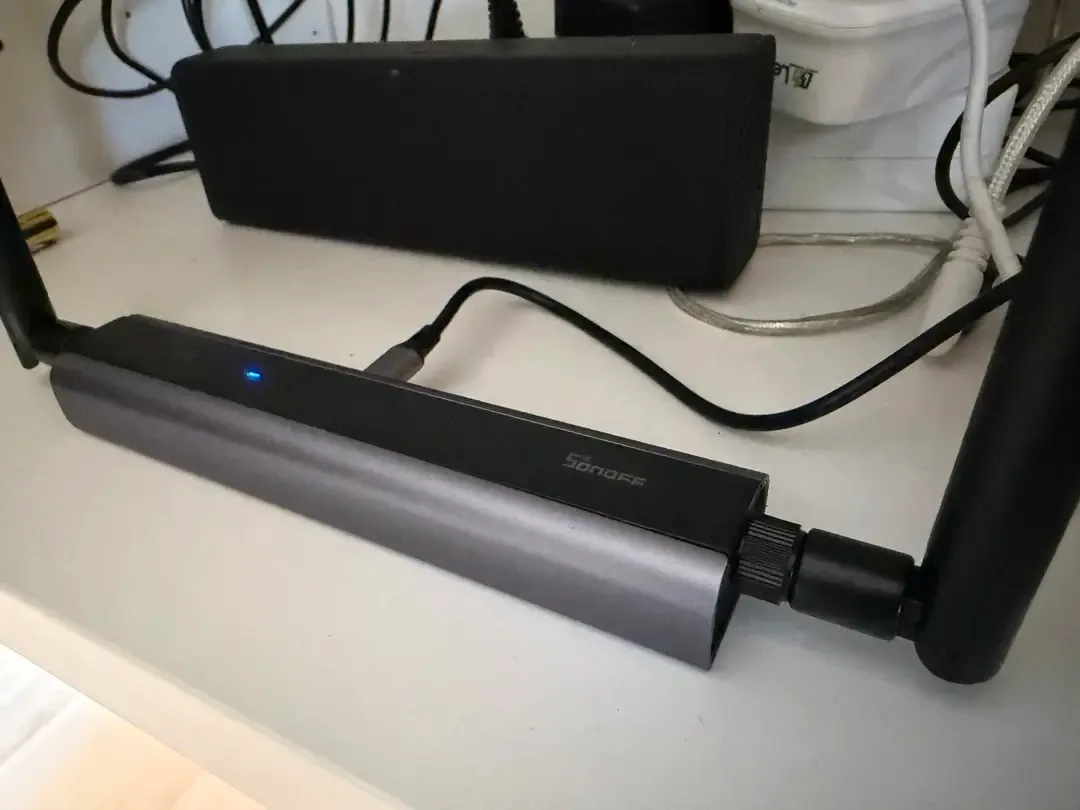
My SONOFF Dongle Max still answered a network ping and its TCP port was reachable. Yet, while I was commissioning Matter-over-Thread thermostats, Home Assistant’s OpenThread Border Router lost its connection to the radio, exited, and restarted. The OTBR log ended with RCP device disconnected (EOF).
That mismatch made the problem difficult to isolate. Basic connectivity looked healthy, two thermostats had already paired, and the failure was intermittent. I changed the network path, Hyper-V settings, the Thread network, the dongle’s address, its cable, switch port, and power source. None of those changes held.
The change that did hold in this particular setup was an OTBR version change. Version 3.2.0 failed like 3.3.0; after I installed 3.0.2 as a local Home Assistant app, I paired all seven thermostats and saw no further disconnect in their histories the next day or one week later.
That is an observation from one environment, not proof of a general OTBR regression. I still do not know which component initiated the disconnect or which code change might explain the difference. What I can document is the diagnostic path, the exact commands I used, and the limits I would keep in mind before repeating the experiment.
The setup I was troubleshooting
I wanted Home Assistant in the office so that I could control the heating without adding another physical server. A Windows Server was already running there with enough spare capacity, so I created a Home Assistant OS virtual machine in Hyper-V. A SONOFF Dongle Max connected over Ethernet acted as the Thread radio for Bosch Matter-over-Thread thermostats.
This was not the same stack I use in my homelab. The versions below are the versions I recorded on 18 October 2026:
| Component | Office environment | My homelab |
|---|---|---|
| Server | Windows Server with Hyper-V | Proxmox |
| Home Assistant OS | 18.3 | 18.2 |
| Home Assistant Core | 2026.10.1 | 2026.9.4 |
| Supervisor | 2026.09.3 | 2026.10.2 |
| Matter Server | 9.2.0 | 9.2.0 |
| OTBR | 3.0.2 after the downgrade; 3.3.0 before it | — |
| MultiPAN | — | 1.0.2 |
| Hardware | SONOFF Dongle Max | SONOFF Dongle Max |
| Thermostats | Bosch Matter thermostat | Bosch Matter thermostat |
My homelab uses MultiPAN rather than the standalone OTBR app. The software versions in those two paths are therefore not directly comparable, and the homelab was not a like-for-like control for the office failure.
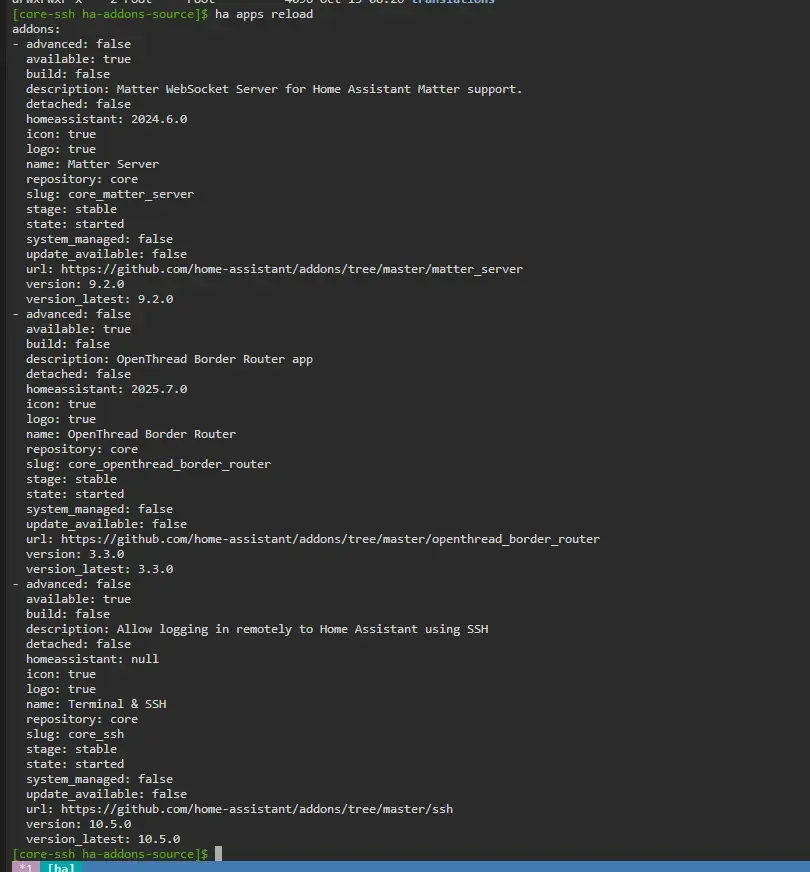
The Home Assistant Thread documentation describes a Thread border router as the bridge between the Thread mesh and another IP network such as Ethernet or Wi-Fi. In my setup, the SONOFF Dongle Max provided the radio interface as the RCP, OTBR handled the Thread network and packet forwarding, and Matter Server handled the Matter side of device integration.
In deliberately simplified form, the path looked like this:
User -> (sends command) -> Matter Server -> (Matter communication) -> OTBR -> (forwards IP packets) -> Thread RCP -> (transmits by radio) -> ThermostatThat distinction mattered during troubleshooting. A restarted OTBR process was not enough if its communication with the RCP—or the devices beyond it—had not recovered.
What RCP device disconnected (EOF) looked like
The failure occurred while I was adding Matter devices through the Home Assistant Companion app. OTBR lost its RCP connection, the app terminated, and Home Assistant started it again. Because commissioning sometimes worked temporarily, a successful connection by itself did not establish stability.
The OTBR-side log included this exact message:
00:00:16.292 [C] Platform------: exit(1): Read line 207, RCP device disconnected (EOF), FailureThe SONOFF Dongle Max recorded a closed TCP connection and then a new incoming connection. The private address was already redacted in my source log:
E (843994) tcp_server: TCP connection closed by peer
W (851345) tcp_server: Incoming connection from 10.XX.XX.XXX
Together, the messages pointed to the communication path between OTBR and the RCP. They did not tell me which side initiated the close.
The visible recovery was incomplete as well. After the apps were running again, the Matter devices remained in an unknown state in Home Assistant. A ping initiated through Home Assistant either failed or coincided with another OTBR-to-RCP disconnect.
What I tried before changing OTBR versions
I began with the network because the RCP was connected over Ethernet and the logs showed a TCP session ending.
From a Remote Desktop session on the Windows Server, I pinged the SONOFF Dongle Max and checked TCP port 6638. Both were reachable. That was useful, but it only established reachability at that moment; it did not show what happened during a pairing attempt.
Next, I disabled Virtual Machine Queue (VMQ) for the Hyper-V test, restarted the virtual machine, and tried again. VMQ can be relevant to some combinations of network adapter, driver, and Hyper-V configuration, but disabling it made no difference here. A Pktmon capture did not produce a conclusive cause either.
I then rebuilt the Thread network. That appeared to help at first, but the failure returned. I assigned the SONOFF Dongle Max a new IP address and briefly thought I had found the answer; the connection failed again the following day.
Finally, I changed the Ethernet cable, moved the dongle to another switch port, and replaced PoE with a separate power supply. None of those changes produced a durable improvement.
At that point, more changes to the suspected network path were giving me less information. I needed another hypothesis.
Why I tested older OpenThread Border Router versions
Research led me to two reports with similar symptoms. In Home Assistant apps issue #4765, another user reported OTBR 3.1.0 repeatedly losing an Ethernet-connected RCP with the same EOF message while 3.0.2 remained stable in that user’s environment. The issue was still open when I verified it on 25 October 2026. A separate Home Assistant Community report described OTBR 3.2.0 failing with a SONOFF Dongle Max over Ethernet.
Those reports did not prove that my failure had the same cause. They did give me a testable reason to stop treating Hyper-V as the leading explanation: the GitHub reporter used a Proxmox virtual machine.
I moved backwards incrementally. OTBR 3.2.0 produced the same disconnect in my setup. I then tried 3.0.2, the version reported as stable in issue #4765.
| OTBR version | My test | GitHub issue #4765 |
|---|---|---|
| 3.0.2 | Stable after downgrade | Stable |
| 3.1.0 | Not tested | Disconnects |
| 3.2.0 | Disconnects | Not tested |
| 3.3.0 | Disconnects | Not tested |
The table deliberately keeps my observations and the external report in separate columns. The hardware and software environments differ, and I did not test 3.1.0 myself. The comparison supports a version-related hypothesis in my setup; it does not identify a particular defect.
Before the downgrade: backups and Thread credentials
I created a Home Assistant backup before changing the app. It was approximately 1.45 MB and included OTBR, Matter Server, Terminal & SSH, and their settings. I did not create a separate virtual-machine backup at the time. Because the installation was still new and contained only two commissioned devices, I considered a complete rebuild tolerable if the experiment failed.
I cannot retrospectively confirm that I also exported the Active Operational Dataset separately. That dataset carries the information devices need to join the existing Thread network, so I would treat preserving the existing Thread credentials as an explicit preparation step now. Losing that network information can leave already commissioned devices unreachable.
I would also keep four constraints in view:
- An older OTBR release can miss security fixes, compatibility work, and newer functionality. I regard 3.0.2 as a diagnostic workaround to retest against newer versions, not a permanent default.
- Stop the currently installed OTBR app and disable its autostart before launching another version. Two instances must not try to use the same RCP simultaneously.
- A historical add-on configuration still depends on the matching container image being available. Seeing an old version in the App Store does not guarantee that it can still be installed later.
- The local-app path depends on the terminal app and installation. In my environment,
/local_apps/inside Terminal & SSH was mounted to/supervisor/apps/local.
How I installed the historical OTBR apps
I used Terminal & SSH to clone the official Home Assistant add-ons repository and enter its working directory:
git clone https://github.com/home-assistant/addons.git /share/ha-addons-source
cd /share/ha-addons-source
The repository has since moved from home-assistant/addons to home-assistant/apps, but the command above is the source-derived command I actually used and GitHub currently redirects the old repository URL.
1. Export OTBR 3.2.0 as a local app
For my first version test, I used commit ddcc5b1. The official repository’s config.yaml at that commit declares version 3.2.0.
I exported the OTBR directory into a local app directory:
mkdir -p /local_apps/otbr-test-320
git archive ddcc5b1 openthread_border_router | tar -x -C /local_apps/otbr-test-320 --strip-components=1
Then I changed only the display name so that I could recognise the test app in Home Assistant:
sed -i 's/^name:.*/name: OpenThread Border Router Test 3.2.0/' /local_apps/otbr-test-320/config.yamlIn Home Assistant, I opened Apps, entered the App Store, and used the three-dot menu to check for updates. The local 3.2.0 app then appeared. I installed it through the interface and entered the same configuration values as in the stopped current OTBR app.
Version 3.2.0 produced the same failure.
2. Verify and export OTBR 3.0.2
I found commit 73a34f9 for the next test. Before exporting it, I checked the version in its configuration:
git show 73a34f9:openthread_border_router/config.yamlThe result declared version 3.0.2, which also matches the official repository’s config.yaml at commit 73a34f9.
I then repeated the export and display-name change:
mkdir -p /local_apps/otbr-test-302
git archive 73a34f9 openthread_border_router | tar -x -C /local_apps/otbr-test-302 --strip-components=1
sed -i 's/^name:.*/name: OpenThread Border Router Test 3.0.2/' /local_apps/otbr-test-302/config.yaml
The 3.0.2 app did not initially appear after I refreshed the App Store. I noticed that both test apps retained the same internal slug. That might have caused the conflict, but I could not establish it conclusively.
I uninstalled the 3.2.0 test app through the Home Assistant interface before removing its local source directory. The next command irreversibly deletes that directory and everything in it. Verify the exact path before running it; do not substitute a broad or unconfirmed path.
rm -r /local_apps/otbr-test-320After another App Store refresh, Home Assistant found the 3.0.2 app and I installed it. That worked for me because the corresponding container image was still available; the same cannot be guaranteed indefinitely.
What changed with OTBR 3.0.2
After installing 3.0.2, I restarted Matter Server as a precaution and tried commissioning the thermostats again through the Home Assistant Companion app.
This time, all seven paired. A few took longer than others, but the OTBR-to-RCP connection remained stable. The following day, I saw no outage in the individual device histories. One week later, those histories still showed no further disconnect.
I subsequently used all seven thermostats in a Home Assistant automation, which also continued to work after the downgrade. That does not extend the controlled observation beyond what I recorded for the device histories, but it was the practical outcome I needed from the office installation.
There was one smaller operational trap: with several OTBR test versions installed, I later selected the wrong one by mistake. Removing test versions that are no longer needed reduces the chance of starting the wrong app against the shared RCP.
What I would conclude—and what I would not
The successful version change makes OTBR version behaviour the strongest explanation I found for this environment. It does not tell me whether OTBR itself, the RCP, their TCP transport, or an interaction among them initiated the original disconnect. It also does not show which change after 3.0.2 might matter.
The failed checks were still useful. They ruled out several simple fixes in this setup and stopped a temporary improvement from becoming a false conclusion. The external reports helped me choose a bounded comparison instead of continuing to alter the network component I first suspected.
I would use the same diagnostic pattern again: preserve a recoverable state, change one meaningful variable, keep firsthand observations separate from other users’ reports, and state the observation window. I would also revisit newer OTBR releases rather than leaving an older version in place by default.
The time involved was real, but it was not wasted. I now have a repeatable way to prepare and verify a local app version when a future smart-home failure requires that kind of comparison.